Reserve
Choose an available vehicle and time from your phone or computer. Receive confirmation and a calendar entry.
POOL CAR & MOTOR POOL MANAGEMENT
Book a vehicle. Pick up the key. Get on with your day. Fleetwaro brings reservations, digital key access, and mileage records into one connected workflow.
Explore my motor pool setup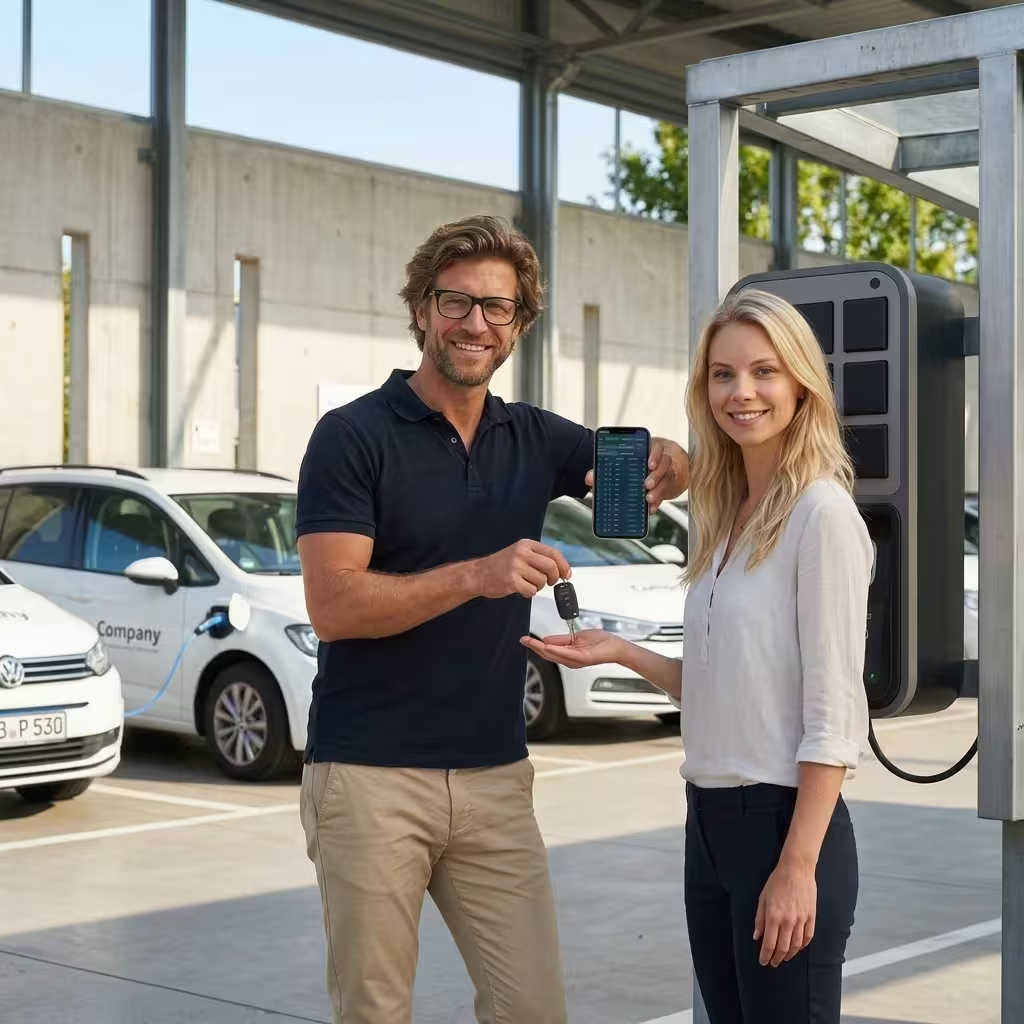
FROM RESERVATION TO RETURN
Give employees independence and fleet managers a clear overview.
Choose an available vehicle and time from your phone or computer. Receive confirmation and a calendar entry.
Use authorized key access for your booking. Connect trip recording and driver identification to your shared fleet.
Return the key, report any vehicle issues, and give your fleet team visibility into utilization and upcoming demand.
DIGITAL KEY MANAGEMENT
Choose a handoff that fits your locations and vehicles. Access hardware and integrations are configured for your fleet.
The physical key stays securely inside the car. Authorized employees use a smartphone to unlock and lock compatible vehicles during their booking. Smartphone access may require the key-box provider’s app.
Automate key pickup, return, and access permissions through an electronic cabinet or locker system. Enable around-the-clock handoffs and keep a record of key activity without staffing a desk.
Explore key cabinets & KeycafeRETIRE THE KEY-HANDOFF CHAOS
Reservations, key handoffs, and trip records belong together. See where capacity is needed and where your fleet could work more efficiently.

| Your daily workflow | With Fleetwaro | Manual coordination |
|---|---|---|
| Booking | Employees reserve in a few clicks | Calls, emails, and manual coordination |
| Availability | A shared view of current bookings and changes | Separate spreadsheets and calendars |
| Utilization | Identify idle vehicles and balance demand | Some cars stay parked while others are overloaded |
| Cost visibility | Use booking and activity reports to assess fleet size | Hidden capacity and unnecessary fleet costs |
| Daily workflow | Connect reservations, key access, and mileage records | Manage each handoff and record separately |
CUSTOMER EXPERIENCE / WINTERSTEIGER
Wintersteiger previously coordinated pool vehicles through its shipping office, with key pickup and return limited to 7 AM–5 PM. Moving to online reservations and a centrally located electronic key cabinet made vehicle access independent of the office team’s schedule.
Employees learned the process through the intranet and could reserve vehicles online with prompt confirmation. When demand required a rental vehicle, its key could also be added to the cabinet. The fleet team reported less administrative work and only occasional intervention, while employees could collect and return keys at any hour.
ONE OPTIONAL MODULE. A CONNECTED WORKFLOW.
From a small shared fleet to a motor pool across multiple locations. Select the booking, vehicle data, access, and reporting options you need.
Employees book available vehicles from a phone or computer. Central availability helps prevent overlapping reservations.
Match reservations to trip requirements, vehicle equipment, and your fleet’s priorities. Configure approval steps when your policy requires them.
Connect electronic key cabinets or compatible in-car key boxes. Give authorized drivers access for their reservation and document key handoffs.
Prioritize smaller electric vehicles for short trips and match available range to the journey. Battery and fuel data depend on compatible vehicle integrations.
Send booking confirmations and calendar entries, updates, and return reminders. Notify fleet managers when a vehicle is overdue.
Combine reservations with automatic trip records and driver identification. Keep the vehicle, driver, and journey together for review and reporting.
Set vehicle availability, range, priority, turnaround buffers, and special equipment. Use day, week, and month views to manage bookings.
Review past use and upcoming reservations. Find lightly used vehicles and plan fleet capacity around actual demand.
Explore optional smartphone driver’s license reviews and access controls. Employees can report vehicle issues so your team can follow up.
POOL CAR QUESTIONS
Let’s discuss your vehicles, locations, and access requirements.
It gives your team one place to check availability, reserve vehicles, and manage changes. Employees can book independently, while fleet managers see who is using a vehicle and when it should be available again. Connected mileage records reduce separate administrative work.
Drivers can receive booking confirmations with calendar entries, reservation changes, and return reminders. Managers can receive overdue-return alerts to help resolve conflicts before the next pickup.
Vehicle range and trip requirements help identify a suitable vehicle. With compatible integrations, battery or fuel levels inform planning. You can favor smaller EVs on short trips and flag vehicles that need charging before their next reservation.
Choose an electronic key cabinet or a compatible in-car key box. Cabinet access can follow the reservation’s permissions and pickup window. An in-car box keeps the physical key inside the vehicle and supports smartphone access. Supported connected vehicles may offer remote locking and unlocking through an integration.
User permissions and optional driver’s license review workflows help you manage who is eligible to reserve vehicles. We agree the process and US availability with your team before rollout.
A reservation-focused setup can operate without live vehicle location tracking. We help select the booking, key access, mileage, and privacy configuration that fits your policies.
The pool-car module supports responsive web access and enterprise single sign-on options. APIs, SAML 2.0, SSO, and directory integrations can be scoped for your deployment.
Tell us about your shared vehicles and key handoffs. We’ll scope the pool-car module, compatible hardware, enterprise access, and pricing for your US rollout.
Request a pool-car demo